







Kimans Valve ControlSVM valve control software
Windows software to open, close and check Kimans SVM M-Bus smart valves, building by building, with every command logged
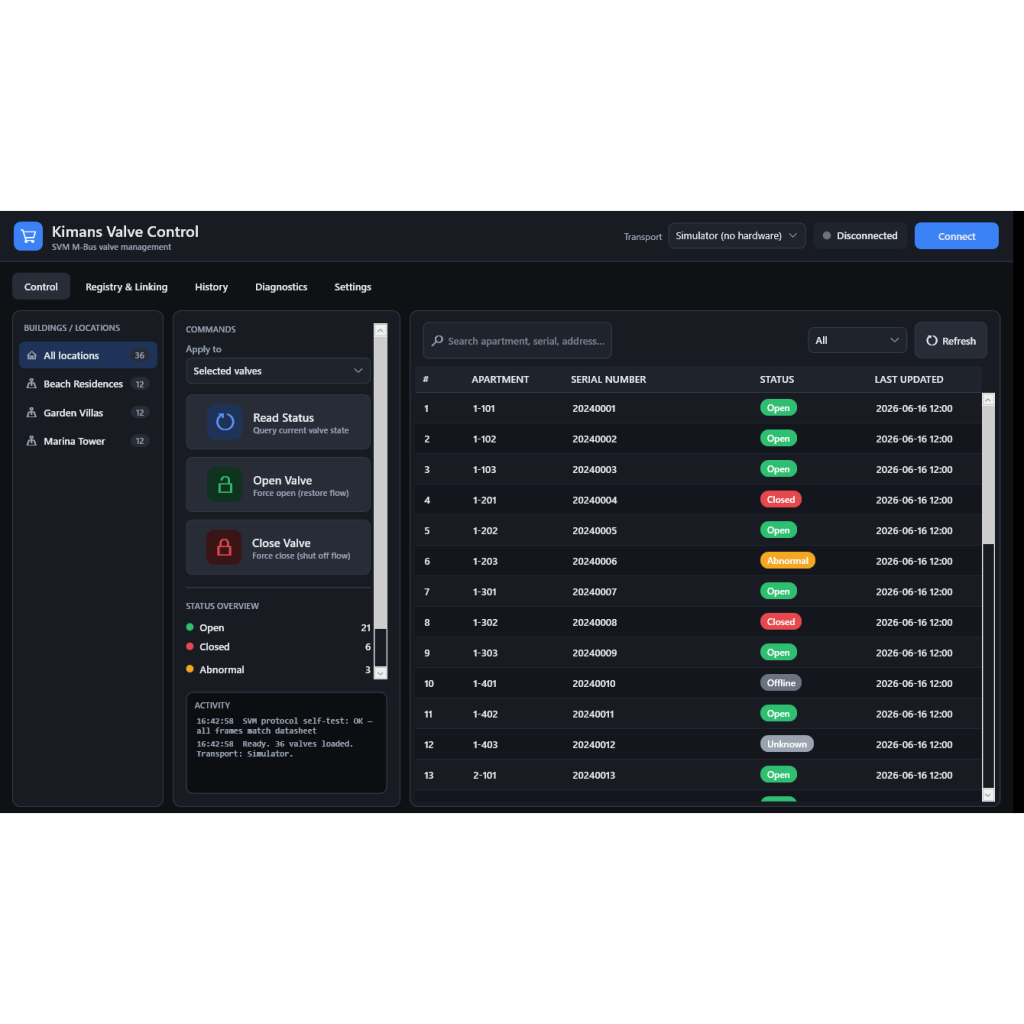
- Open, close and read status for any selection of SVM valves
- Colour status per valve: open, closed, abnormal, unknown, offline, read failed
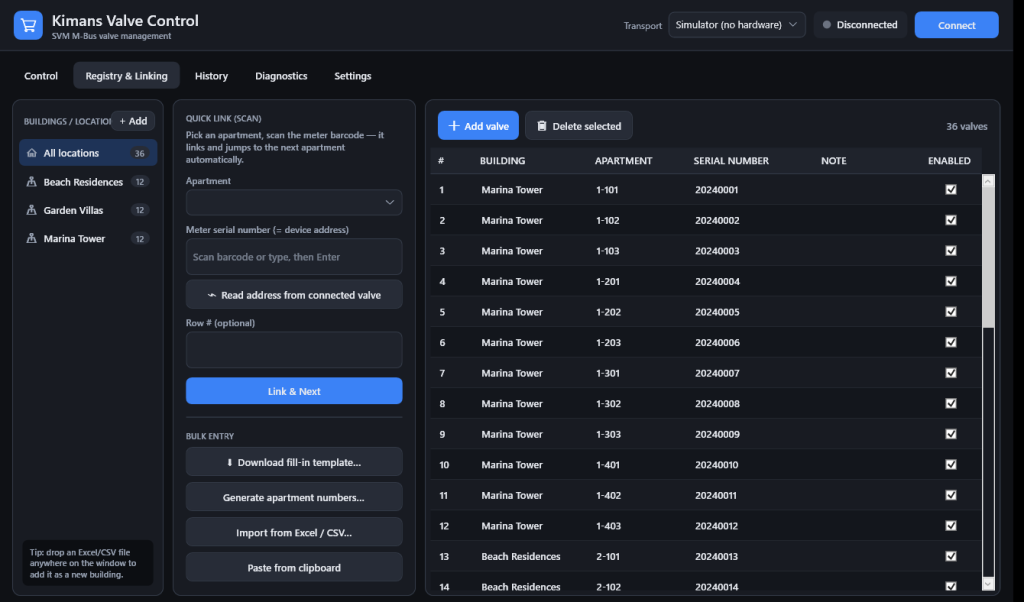
- Link valves to apartments by barcode scan, bulk generation or import from XLSX and CSV
- Search and filter by apartment, serial number, address or status
- Operation history with operator and time, exportable to CSV
Overview
Kimans Valve Control is Windows software for managing Kimans SVM M-Bus smart valves. Operators open, close and read the status of any selection of valves, and each valve shows its state as a colour: open, closed, abnormal, unknown, offline or read failed.
Valves are linked to apartments by scanning the barcode on the valve, by generating apartment numbers in bulk, or by importing a spreadsheet. The valve address is its serial number, so no separate addressing is needed.
Every command is logged with operator and time and can be exported to CSV. Open and close commands ask for confirmation, and a bulk close needs a typed confirmation.

Everything for specification & install
Specifications
Full technical data below. Refer to the datasheet for ordering codes and dimensional drawings.
Kimans Valve Control
| Version | 4.0 |
| Platform | Windows 10 and Windows 11 |
| Supported devices | SVM M-Bus smart valves |
| Connection | USB to M-Bus adapter |
| Serial settings | 2400 baud, 8 data bits, even parity, 1 stop bit |
| Valve address | Valve serial number (14 digits) |
| Commands | Open, close, read status |
| Data import | XLSX, CSV, clipboard |
| Data export | Operation history to CSV |
Request a quote for the Kimans Valve Control
Tell us your application, quantity and region and our team will spec the Kimans Valve Control and send pricing.